Scrolltide Academy
Learn to build animated
websites with AI.
Free tutorials on the part nobody explains properly: how you get from a reference image to a site that actually moves. Every lesson is a real build, recorded start to finish — including the takes where the animation breaks and has to be fixed.
Each one is written up here as well as filmed, so you can read the workflow, copy the tool order, and skip to the moment in the video where the interesting part happens. The stack is whatever the job needs: Claude Code, ChatGPT, Gemini, Antigravity, Next.js, Tailwind and Framer Motion.
When a lesson uses a design from the Scrolltide library, it links straight to it — so you can start from the same prompt instead of rebuilding it by eye.
Start here
11 lessonsHow to build an animated website from a single prompt
The whole workflow in two minutes: pick a design, copy its prompt, paste it into an AI editor, and watch the typography, animation and scroll effects arrive together.
- Scrolltide
- Lovable
- Claude Code
- Cursor
Every lesson
Short builds and full tutorials. Each one names the exact tools, in the order they were used.
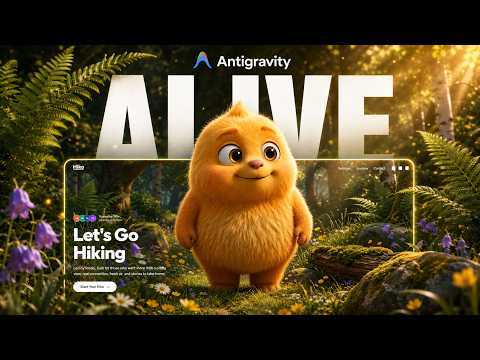 4:18BeginnerGoogle Antigravity + Gemini
How to build an interactive landing page for free with Google Antigravity
A free agentic coding tool, a Gemini-generated character whose head follows the cursor, and a complete hero landing page in about five minutes for nothing.
 5:36IntermediateChatGPT + Gemini Veo 3
How to build a website with an AI-generated video hero section
No stock footage and no camera: prep the still in ChatGPT, animate it with Veo 3, host it on Cloudinary, and let Claude Code build the site around it section by section.
 6:18IntermediatePinterest + ChatGPT (Images)
How to build a spotlight hover-reveal effect with Claude Code
A spotlight that follows the cursor and reveals a hidden layer underneath. The whole effect rests on one instruction given while generating the images, long before any code.
 5:15IntermediatePinterest + ChatGPT (Images)
What to do when your AI tool cannot build the effect you want
The effect would not come out of Google AI Studio, so it was rebuilt in Claude Code instead. Knowing when to stop prompting and switch is a skill in itself.
 6:44IntermediatePinterest + ChatGPT
How to build a cursor-reactive interactive website with Claude Code
A physics-based text curtain that reacts to your cursor, built with ChatGPT art and Claude Code — with the three takes where the physics broke left in.
 8:54IntermediatePinterest + ChatGPT
How to build a 3D portal scroll effect with Claude Code
Three image layers — background, door, clouds — and a scroll that zooms you through the portal. The layering is what makes the depth real.
 9:32AdvancedPinterest + ChatGPT
How to build a scroll-scrubbing video animation with AI
The effect big agencies charge for: video converted to a frame sequence and scrubbed by the scroll position, so the animation moves exactly as fast as the reader does.
 12:28AdvancedPinterest + ChatGPT
How to build a scroll-scrubbed character site without opening an editor
300 stills swapped one by one against the scrollbar, built without opening a code editor once — and the moment Claude Code caught that its own first fix was a workaround.
 10:16AdvancedPinterest + ChatGPT
How to make an AI-generated video loop perfectly, then scrub it to scroll
The trick for getting an AI-generated clip to land back on its exact first frame, then 192 WebP frames tied to the scrollbar — and a sticky footer bug that took two goes.
 7:35AdvancedPinterest + Claude Code (Opus)
How to build a 3D website with no 3D models at all
Every lens, ring and screw built from pure code, coming apart as you scroll. No model files, no asset pipeline — and a staged build guide so it is never one giant prompt.
Skip the build, keep the result
Every design in the library ships with the prompt that generates it. Paste it into Claude, Cursor or v0 and you get working code — no reference hunting, no back-and-forth.
Browse 122 designsNew build every week
The lessons here are the written versions of what goes up on YouTube. Subscribe there to get each build as it lands, mistakes and all.
Watch on YouTube