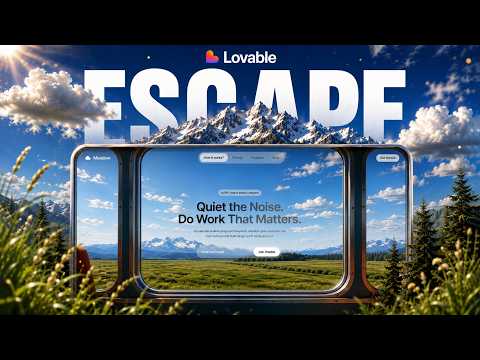
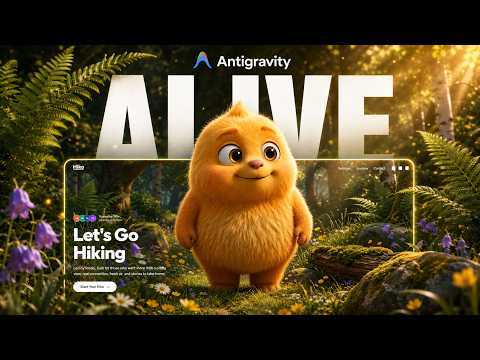
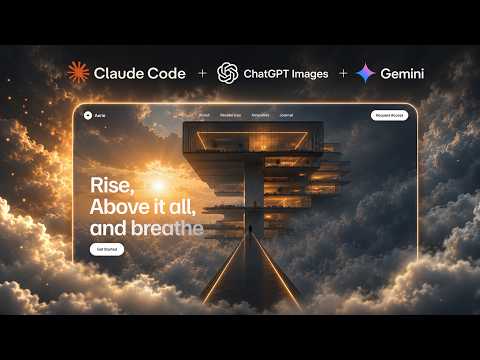
The character moving as you scroll is not a video. It is 300 separate images swapped one at a time, tied directly to the scrollbar position — the same technique as the scroll-scrubbing lesson, taken further, and with a subject rather than a landscape.
A code editor is never opened in this build. Everything from the frame extraction to the pin-and-handoff logic to the font pairing happens through Claude Code.
The part worth the whole video is at 11:05. The footer broke, Claude Code produced a fix, the fix worked — and then it identified that its own fix was a workaround masking the real bug, and went back for the actual cause. That is a thing worth knowing an AI coding tool will do, because it changes how you read a fix that appears to work.
01Let the reference do the design work
One Pinterest reference carries most of this build. Layout, proportion, where the subject sits against the type — all of it is decided by the reference rather than described from scratch.
Then have ChatGPT rebuild that layout as your own image, so what you are working from is yours rather than someone else's screenshot.
From the library
Get the prompt for this build
The designs used in this lesson live in the library. Open one to copy the prompt behind it.
02Isolate just the character
This is the actual trick of the build. Cut the character out onto a clean background before animating anything.
An animated scene has to be composited as a whole and can only be scaled. An animated character on transparency can be pinned, handed off between sections and moved independently of everything behind it — which is what makes the scroll feel like it is driving the subject rather than the page.
- Character alone, clean background
- Everything else in the scene stays a separate layer
03Let ChatGPT write the motion prompt
Rather than describing the movement to the video model yourself, have ChatGPT write that prompt from the image. It is better at naming camera behaviour and body mechanics in the vocabulary a video model responds to.
Gemini then generates the animation — two options, keep the better one — and the watermark comes off with a free remover at no quality cost.
- Generate two options and choose, rather than iterating on one
- Remove the watermark before extracting frames, not after
04Convert the clip into exactly 300 frames
Ezgif turns the ten-second clip into 300 stills at 30fps. Exactly 300 is a deliberate number rather than a default.
Frame count is the one decision that governs both how smooth the scrub feels and how heavy the page is, and it cannot be changed later without redoing everything downstream.
05Why the frame count decides the pin
The 300 mattered because of the pin and handoff: the hero section stays fixed while the sequence plays through, then releases to the next section exactly as the final frame lands.
That only works if the number of frames divides cleanly into the scroll distance you are giving the section. Pick the frame count with the pin in mind, not as an export setting you accept afterwards.
Claude Code wrote its own CLAUDE.md for the project before starting, which is worth letting it do — it is how the later section prompts stay consistent with the earlier ones.
- Choose the frame count against the scroll distance, not the clip length
- The last frame should land exactly as the pin releases
- Let it write a project CLAUDE.md first
06When the first fix is a fake fix
The footer prompt broke the page — a full-screen black slab. Claude Code diagnosed it, applied a fix, and the page came back. Then it flagged that the fix was a workaround hiding the real cause, and went back to fix that instead.
The lesson for you is not about the bug. It is that "the page looks right again" is not the same as "the bug is gone", and an AI tool will sometimes tell you the difference if the result looks suspicious to it. When a fix seems too easy for the size of the breakage, ask what the actual cause was before moving on.
- A page that renders again is not proof the cause was found
- Ask what the root cause was when a fix seems disproportionately easy
07Finish with a quality pass
One final pass over the whole site — spacing, weights, the scroll-scrubbed type animation, the Framer Motion circular card grid — is what took it from working to finished.
Anton and Playfair Display do a lot of the heavy lifting here. A confident display pairing is most of what separates these builds from a default-font prototype.
What you end up with
A scroll-scrubbed character site with pinned sections, custom typography and a card grid, built end to end through prompts alone.
Two things carry over. Isolate your subject so it can be animated independently of its scene, and treat a fix that arrives too easily as a question rather than a conclusion.