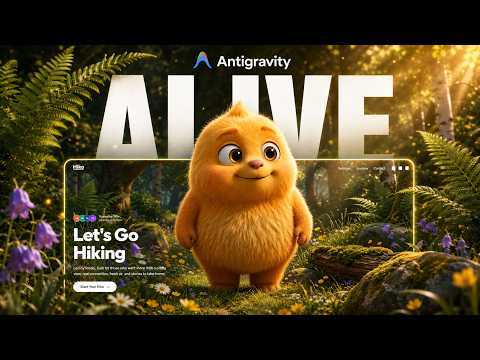
Every tutorial makes it look like the first tool reached for was the right one. This build is the counter-example: the hover-reveal was attempted in Google AI Studio with Gemini, it did not come out the way it was meant to, and the whole thing was rebuilt in Claude Code — where it worked.
That is not a verdict on either tool. Models differ in what they are reliable at, and an interaction one produces on the first attempt can be a long argument with another. The useful skill is noticing which situation you are in early, instead of spending forty minutes rephrasing.
The second half is about assets. Generated PNGs arrive with edge artifacts that are invisible at thumbnail size and extremely visible once the image is full-bleed behind a headline.
01Start from a bold hero reference
Pinterest first, as always — a hero with a large subject and confident typography. The reveal needs a subject big enough on screen that a spotlight-sized window shows something meaningful.
A small subject means the spotlight reveals a fragment, and a fragment reads as a glitch rather than an effect.
From the library
Get the prompt for this build
The designs used in this lesson live in the library. Open one to copy the prompt behind it.
02Isolate the character, then generate the alternate
Use ChatGPT to isolate the character from the reference, then generate the masked version and, separately, the gradient background.
Three separate assets, generated in that order. The background comes last because it has to sit behind whatever the first two turned out to be, not the other way around.
- Character isolated on its own
- Masked version derived from it
- Background generated last, to fit the pair
03Recognise when to switch tools rather than re-prompt
The effect was tried in Google AI Studio first and it did not behave. Rather than keep rewording, the build moved to Claude Code and the same request produced a working reveal.
The signal to watch is the shape of the failures. If each attempt is wrong in a new way, the prompt is probably the problem and rewording will help. If every attempt is wrong in the same way, more prompting will not fix it — that is the model telling you something about what it is reliable at, and moving is cheaper than persisting.
Two or three attempts is a fair test. Ten is a sunk cost.
- Failures that vary → keep refining the prompt
- Failures that repeat identically → change tools
- Set yourself an attempt budget before you start
04Build the hero in React and Vite
In Claude Code, set up a React and Vite project and prompt the hero section — the character, the typography, the background in place.
Then add the spotlight logic as a second, separate instruction once the layout is settled.
05Clean the PNGs before feeding them back
The isolated character came back with background artifacts around the edges — the faint halo an automatic cut-out leaves behind. Against a gradient it was obvious.
Run the assets through a background remover, then hand the cleaned files back to Claude Code and ask it to swap them in. This is a two-minute fix that no amount of prompting substitutes for, because the flaw is in the file rather than in the code.
Look at every generated PNG at full size, on the background it will actually sit on. Artifacts hide well on white.
- Inspect cut-outs against the real background, not a checkerboard
- Fix the asset, not the code, when the flaw is in the asset
06Size the spotlight to the subject
The first spotlight was too small to read. Enlarging it until it comfortably covers a face-sized area of the frame is what makes the reveal feel deliberate rather than accidental.
It is the same tuning pass every version of this effect needs, and it is always done by eye.
What you end up with
A working hover-reveal hero in React and Vite, and a more useful habit than the effect itself: treating "which tool" as a variable you are allowed to change mid-project.
Most time lost to AI builds is not lost to hard problems. It is lost to persisting with a tool that has already told you, three identical failures in a row, that this is not the one.